Attack panel
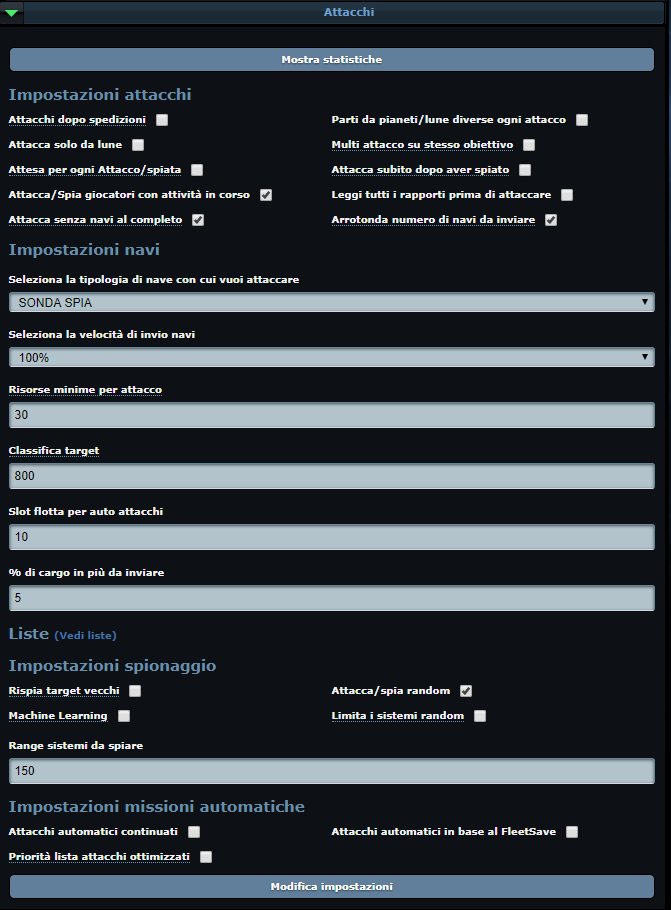
It is by far the most complex panel of the bot, offering several alternatives depending on the user's needs.
It is made up of several modules:
- Attack settings:
- Attacks after expeditions: if you want to prioritise expeditions, set up automatic expeditions and tick this box to attack once the expeditions are done.
- Start each attack from different planets/moons: if ticked, the starting coordinates are chosen automatically to make the attack as fast as possible.
- Attack only from moons: if ticked, attacks only start from moons.
- Multiple attacks on the same target: attacks the same target repeatedly as long as it meets the attack parameters.
- Attack right after spying: no matter whether 1 or 100 targets were found — when it switches to attack mode it hits every target found, always within the number of available slots.
- Read all reports before attacking: reads every espionage report before launching the attacks.
- Attack/spy players with ongoing activity: attacks inactive players that show activity.
- Wait between each attack/spy action: waits 1–8 seconds before each attack and 1–3 seconds before each espionage. We recommend ticking this option.
- Round the number of ships to send: rounds the number of ships sent in attacks (e.g. 15,910 → 16,000, 1,691 → 2,000).
- Attack without full cargo capacity: attacks the target even if the cargo hold cannot carry all its resources. For the attack to start, the loot must be at least 50% of the minimum resources set.
- Ship settings:
- Select the ship type to attack with: you can choose the ship type; in universes with the "probes with cargo" feature you can also select espionage probes.
- Select the fleet speed: choose the departure speed percentage.
- % of extra cargo ships to send: attacks with more cargo ships than actually needed.
- Minimum resources per attack: the minimum amount of resources required to launch the attack, in thousands (e.g. 900 = 900,000).
- Target ranking: position in the general ranking below which targets are ignored (neither spied on nor attacked).
- Fleet slots for auto attacks: number of slots assigned to attacks.
- Lists: clicking See lists opens a menu to set the attributes by hand:
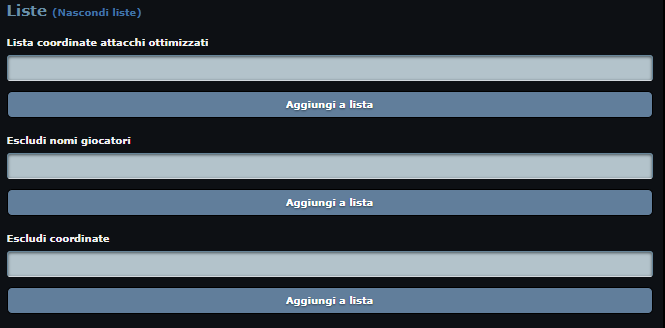
- You can, for example, save the coordinates you consider best:

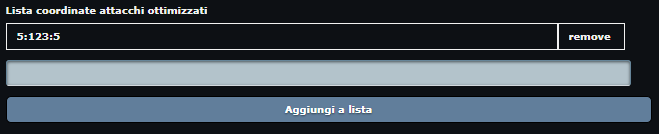
- Whenever optimised attacks or the optimised attack list are mentioned, they refer to this list.
- Espionage settings:
- Random attack/spy: the coordinate range to spy on is chosen randomly or through machine learning.
- Re-spy old targets: automatically spies again on targets older than 1 hour and 30 minutes.
- Limit random systems: bounds the random choice by setting the minimum and maximum system.
- Automatic mission settings.