Warning!
oBot is not responsible for any ban or problem arising from the use of the bot.
By using it, you take responsibility for any risk.
By using it, you take responsibility for any risk.
Requirements
Supported servers:
OGame version compatibility: 13.x
Google Chrome
Mozilla Firefox
Installation
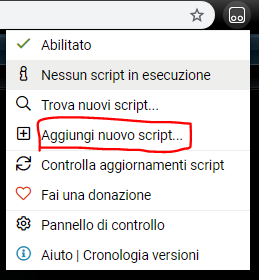
- Click on Tampermonkey in the browser bar; if you cannot find the icon, click on the three dots:
- Choose Create a new script:
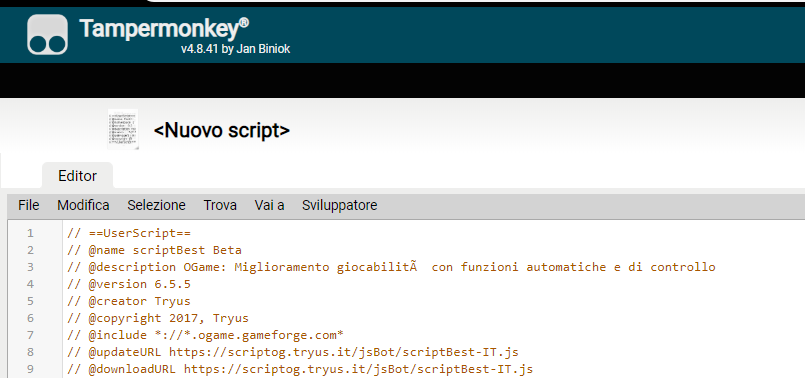
- Open the link https://js.obot.it/obot.user.js
- Copy all the text into Tampermonkey:
- File → Save or Ctrl+S.

OGame settings
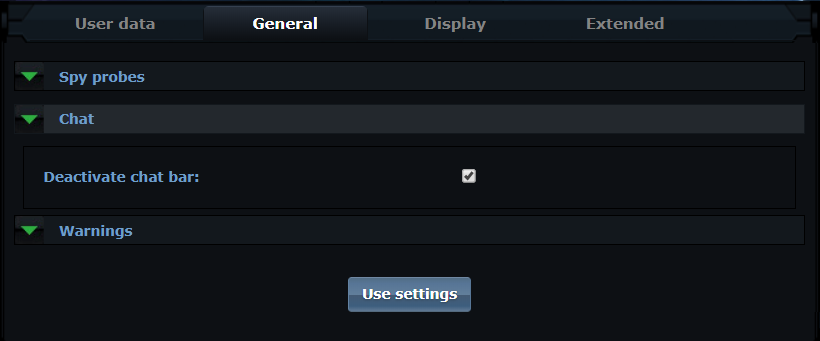
- Disable the chat bar:
- Set 50 messages in Number of messages shown per page:

Limitations
Warning!
- The script currently does not handle more than one universe;
- the bot only works with the computer switched on, a supported browser open and the OGame tab active;
- the browser tab must not be minimised and must stay active, otherwise the bot freezes because of browser limitations.